Project Overview
Duration: 8 weeks
My Role
- UX Designing
- Website Designing
- Website Development using HTML5, CSS3 and JavaScript
Tools and Programming Used
- Figma
- Whimsical
- HTML5, CSS3 and JavaScript
Problem Statement
The BIET Platform, has helped to fulfill students' academic demands during the Covid-19 pandemic, currently falls short in terms of ease of access to its features and lacks essential functionalities that could enhance the overall user experience.
I was designing Minimum Viable Product. It focuses on the core offerings of the solutions in the fastest and more effective way. I had a very short period in designing and I was only focussing on the core offering. There would be many more improvement plans after that.
Challenges
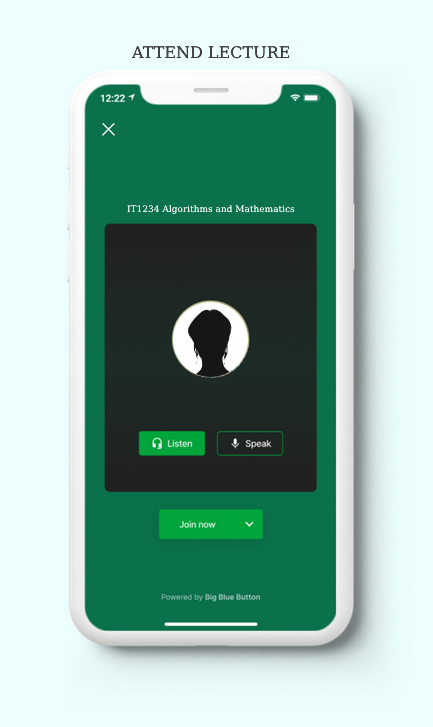
- Students in BIET find hard to join in online meetings and materials which is a difficult task to access.
- No lecturer information details are available.
- Due to the numerous clicks, finding information on modules might be difficult.
Creative Process
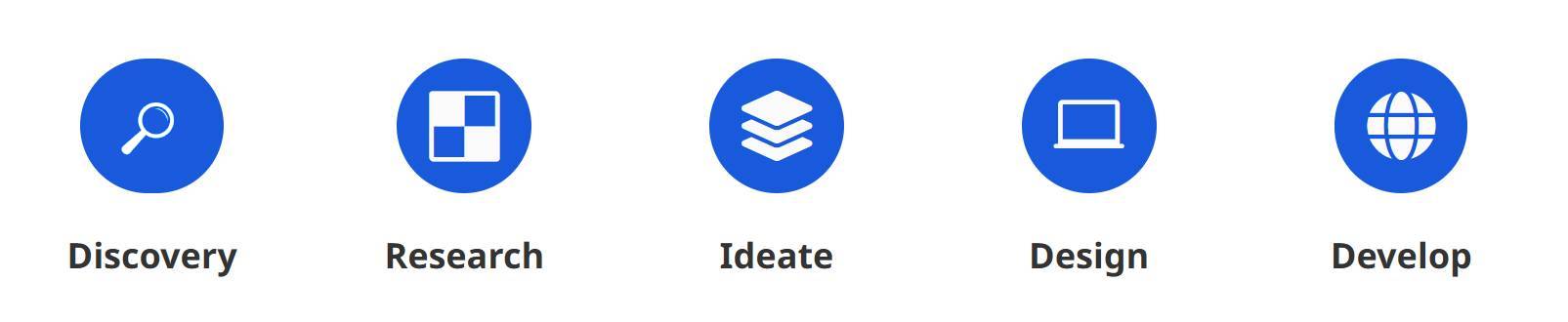
Traditional UCD (User Centric Design) process is followed in this project.
What is BIET?
BIET is a web-based learning management system is used by instructors and students at Birbhum Institute of Engineering & Technology for communication and evaluation.
BIET
Research
To gain insights into the actual needs of students and validate pain points, I conducted preliminary research by engaging with a group of bachelor's and master's degree students. Through conversations with these students, I identified commonly used features, identified problem areas, and collected their suggestions for improving the Moodle platform.
The research aimed to achieve the following objectives:
- Deep dive into students' actual needs and validate pain points.
- Understand quantitative data, such as the percentage of students facing specific issues and identify additional areas where they require assistance
- Eliminate assumptions and validate early-stage solutions.
To achieve these goals, I employed the Lean UX and MVR (Minimum Viable Research) methodologies, allowing me to validate hypotheses and gather relevant insights.
User Interviews
I have interviewed 8 students from different locations aged between 20 to 45 years, who have experience in accessing BIET.
I spoke with users to get information on the following:
- What are the challenges are you facing and how do you approach challenges?
The responses of the users are as follows:
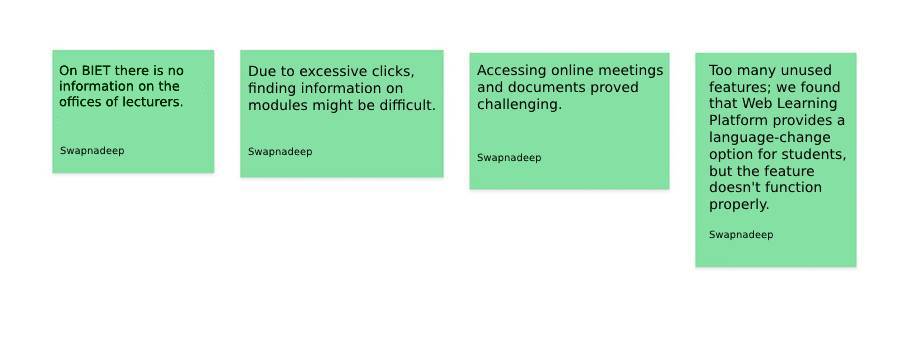
- Three students have stated that finding information on modules is difficult sometimes due to excess clicks.
- Three students have stated that this is very hard to join in online meetings.
- Two students have stated that there is no information on the lecturers' offices on Moodle.
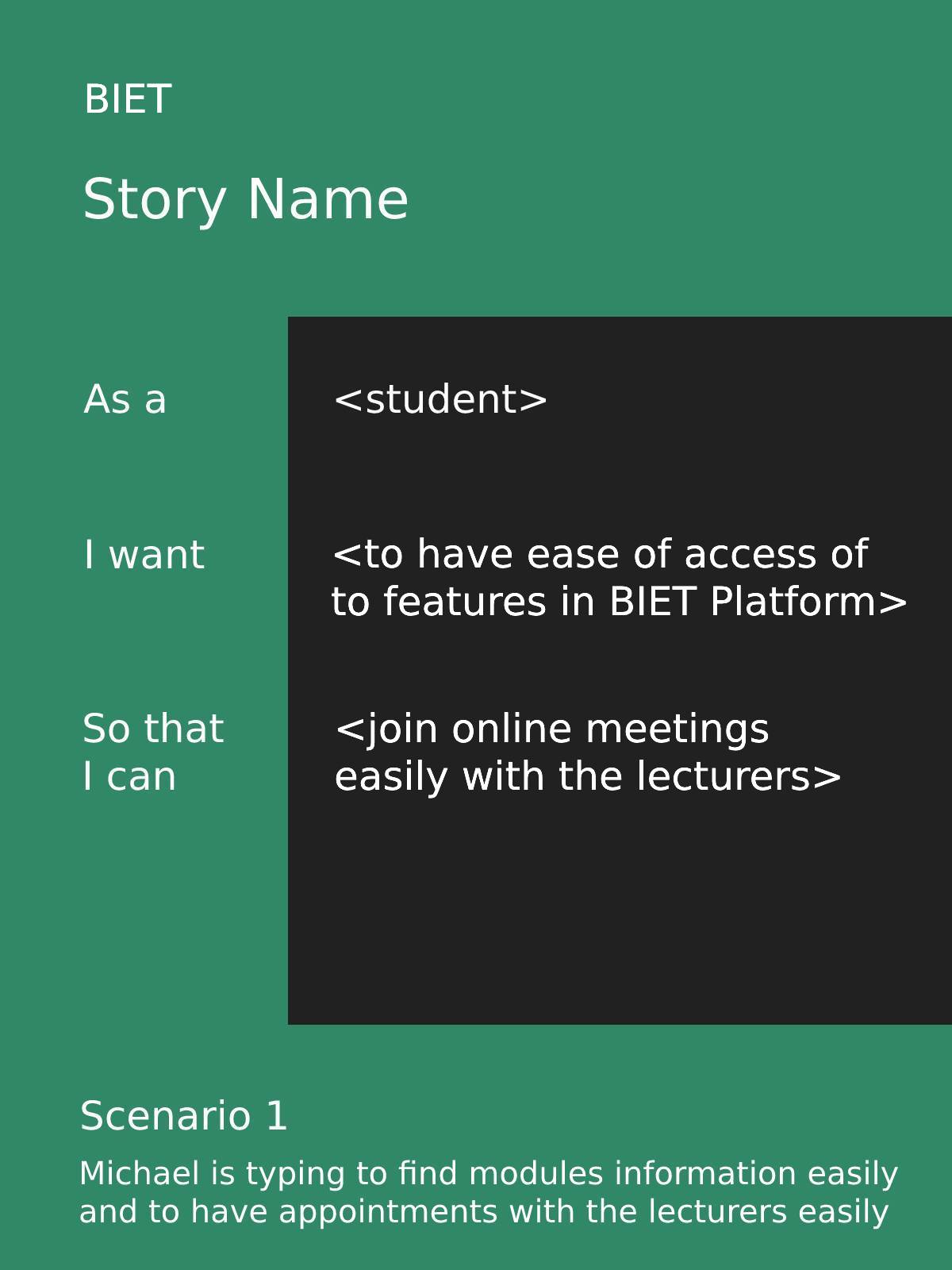
Pain Points/Challenging Scenario:
Brainstorming
We started brainstorming on the important features which could be offered in the application based on user interviews. In the Design session, I followed the User Stories & Crazy 8 method. I have used User Stories method because I wanted to have a better understanding of the user's needs before starting development. I started by drawing a possible layout to give a direction on how I wanted the design to fulfill the needs of the students.
It inspired me to formulate insightful questions like:
- How can we make a complicated user interface easier to use?
- How can we quickly provide a feature for information about lecturers?
These preliminary drawings served as the foundation for the application's user interface design.
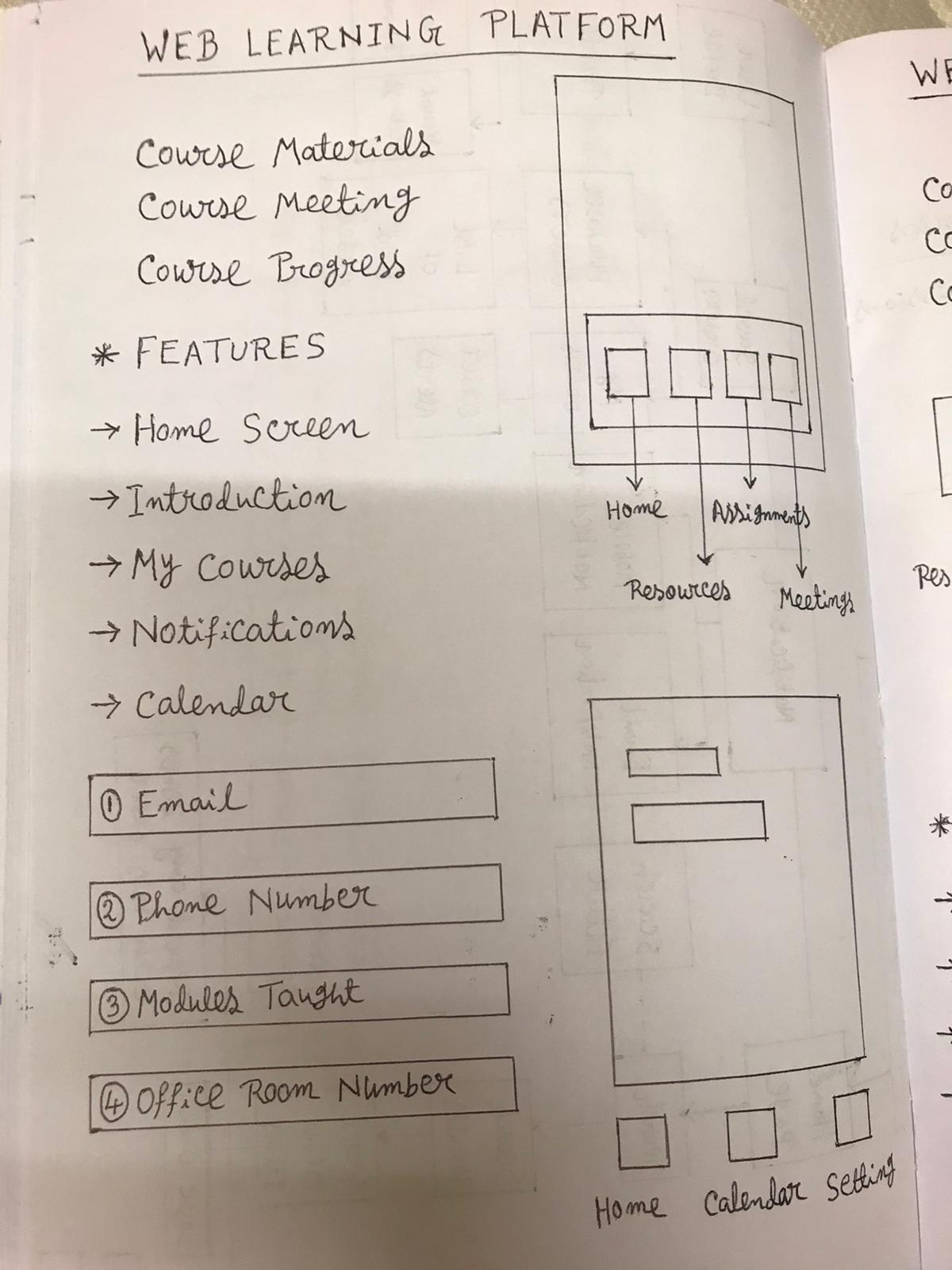
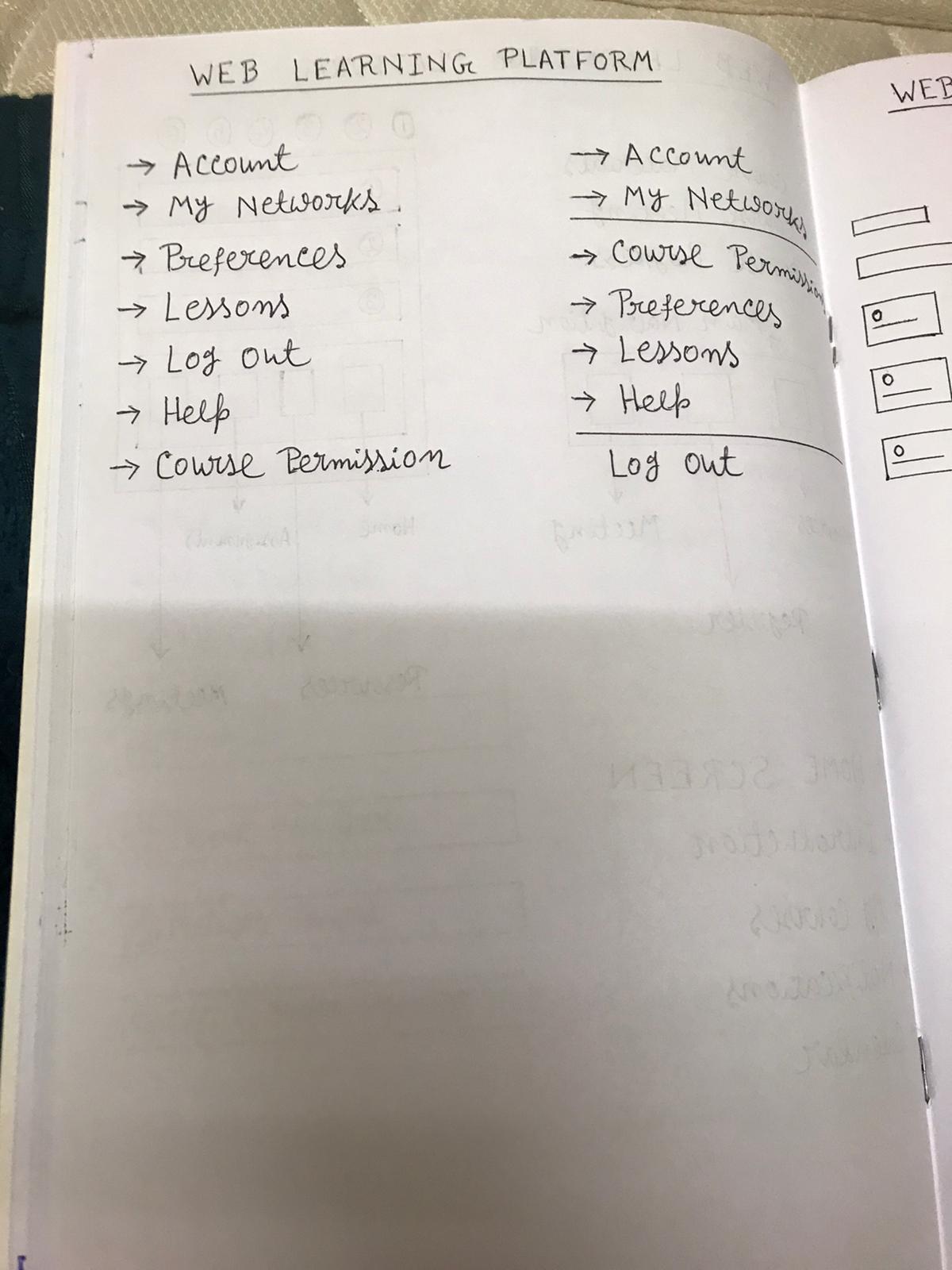
Brainstorming & Sketches
User Persona
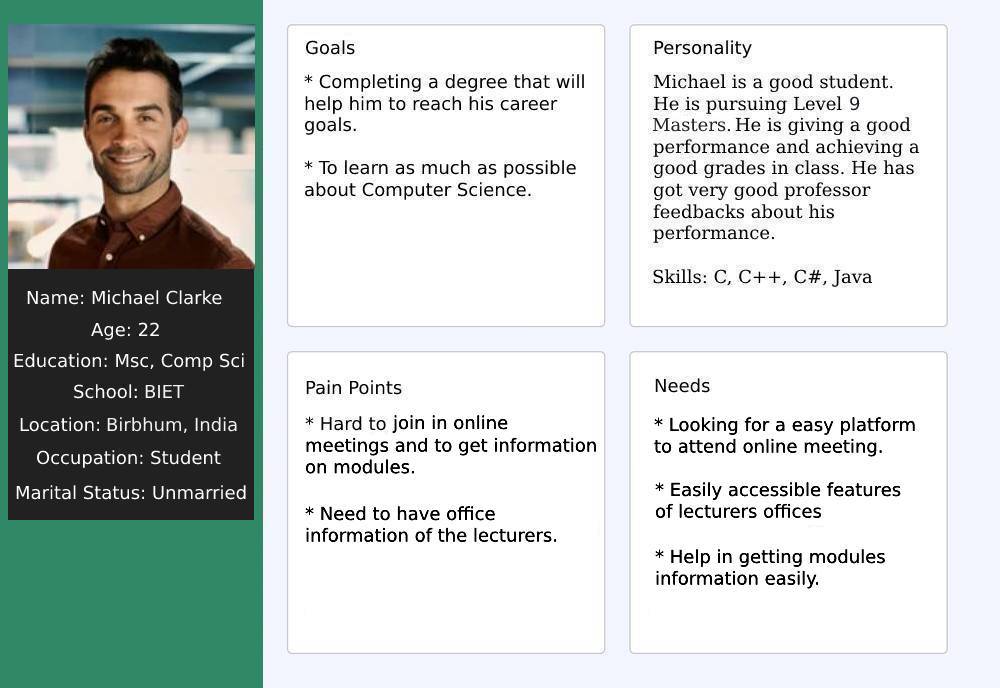
I created a user persona that represents an ideal user of the application based on the data I got from the interview. This user persona has helped me to reach better solutions because it provides a deep understanding of the user's goals and frustrations as well as the overall personality.
Empathy Map
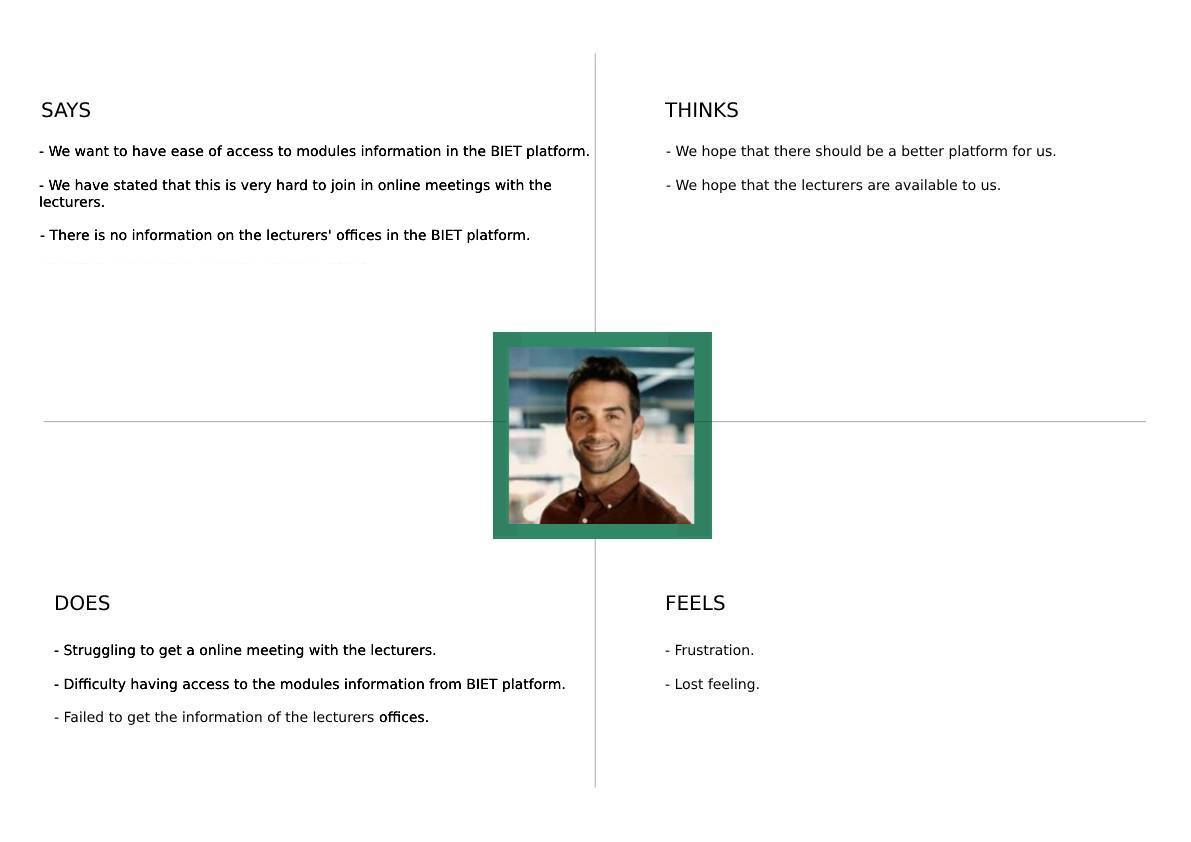
This approach was carried out to define the target audience and to show their needs and actions. I was able to gain perspective on their thoughts and feelings. The empathy map's data is based on user interviews insights.
Creating a User Flow
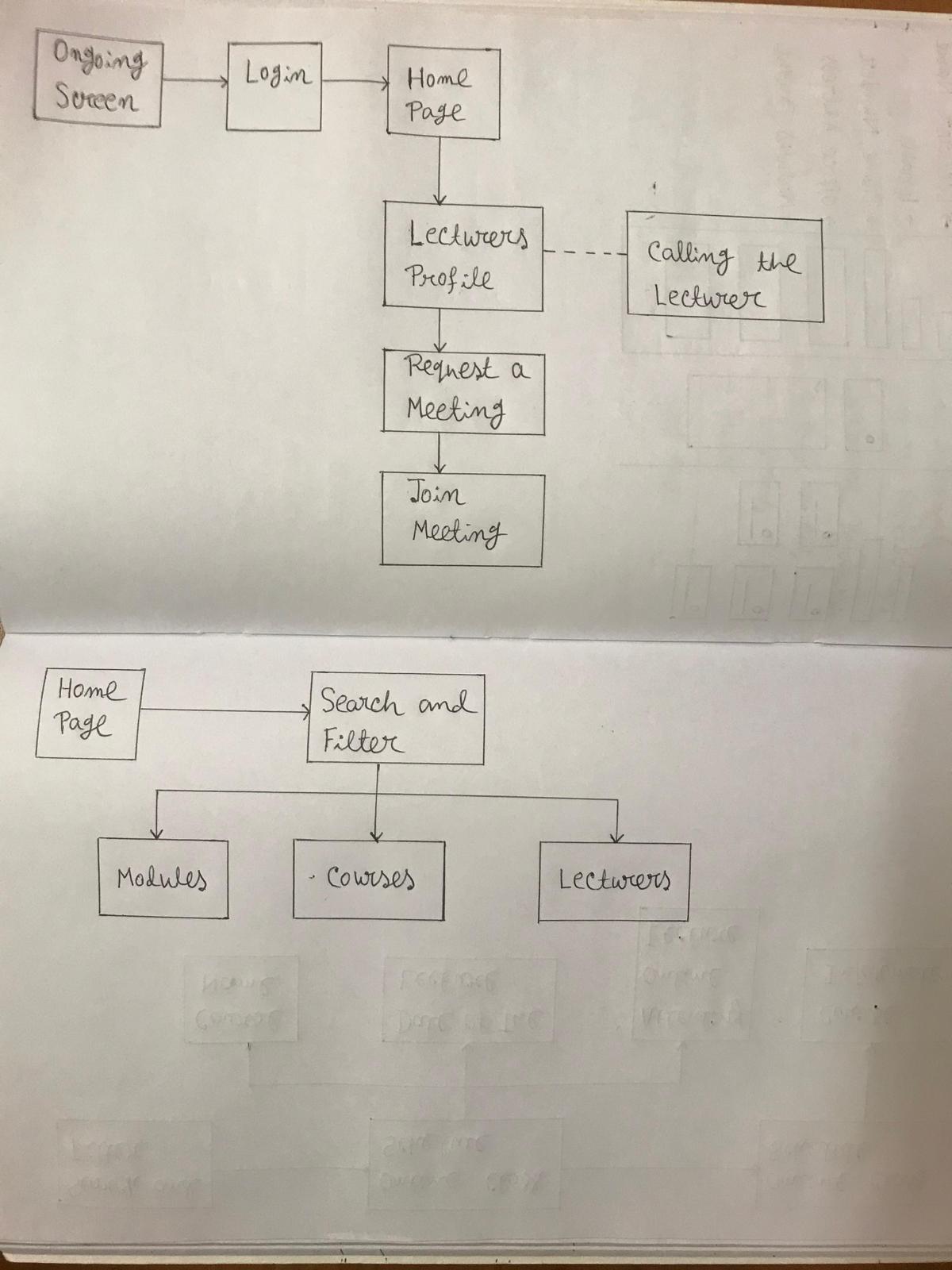
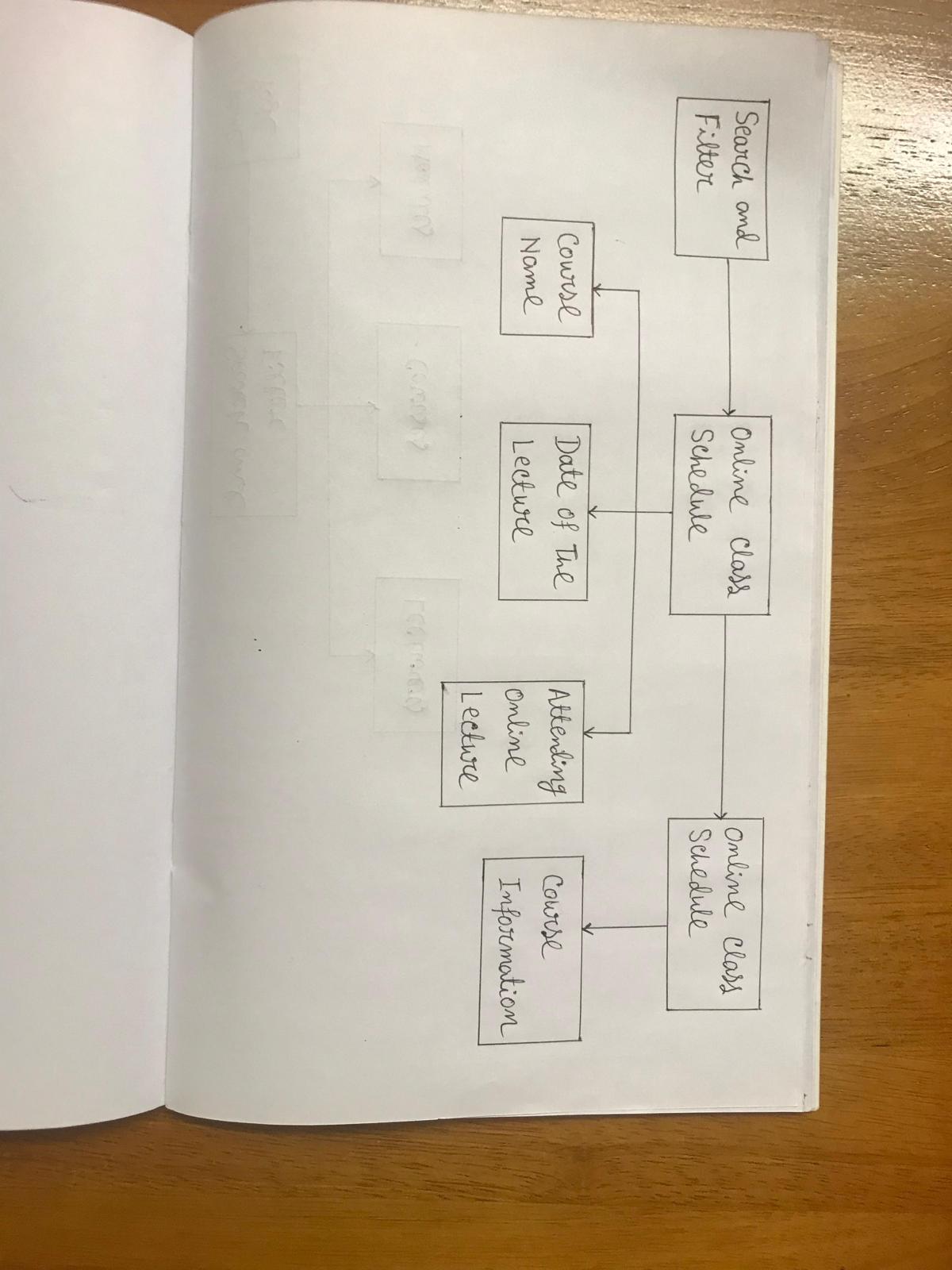
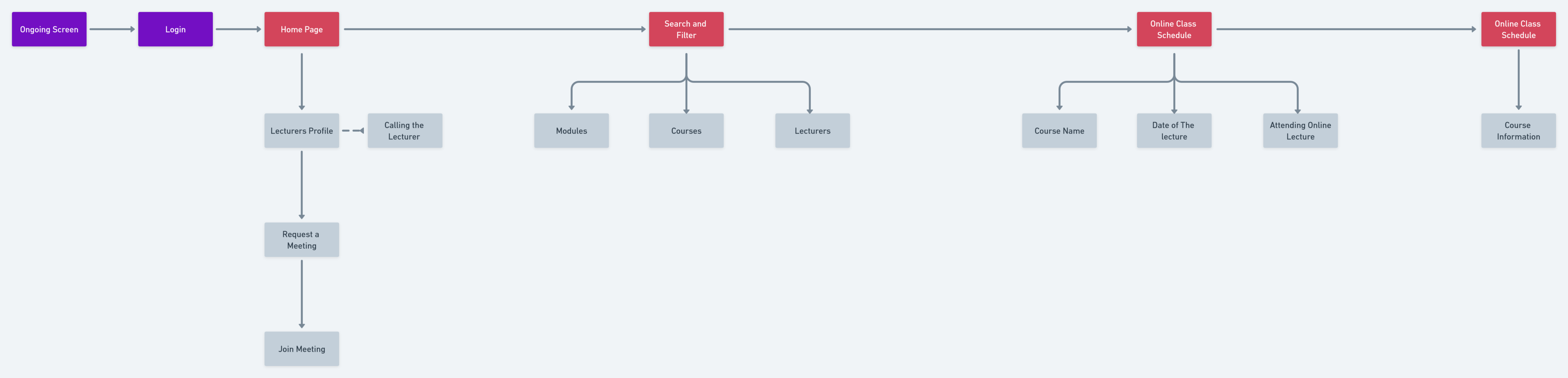
Whimsical Tool was used to create a flow that shows how the the user will navigate through the application.
Tool Used: Whimsical
Low-Fi Wireframes:
First I created the Low Fidelity wireframes and after making corrections as per IOS guidelines I moved to High Fidelity wireframe designing using the Figma tool.
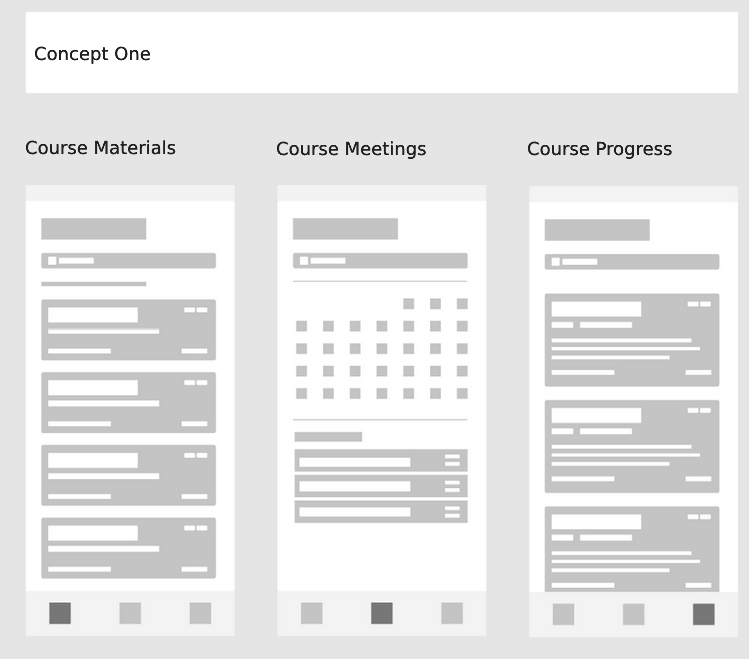
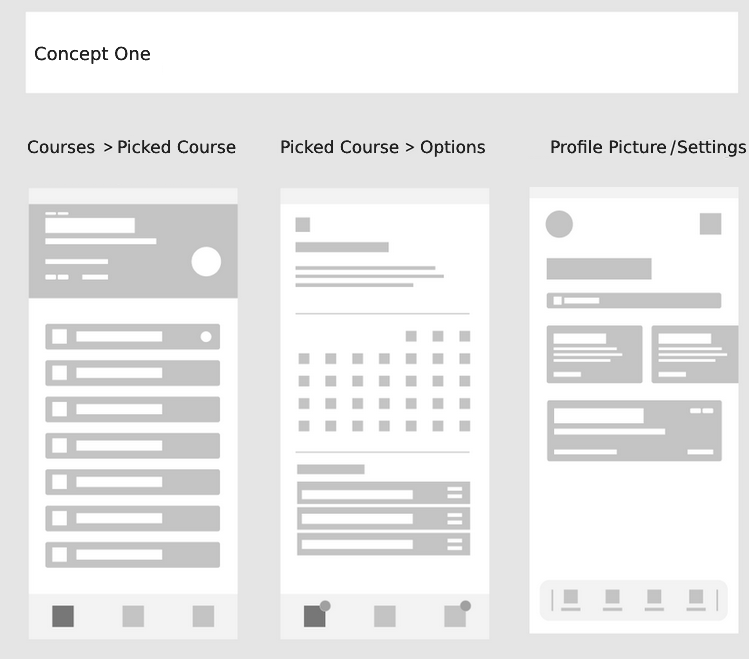
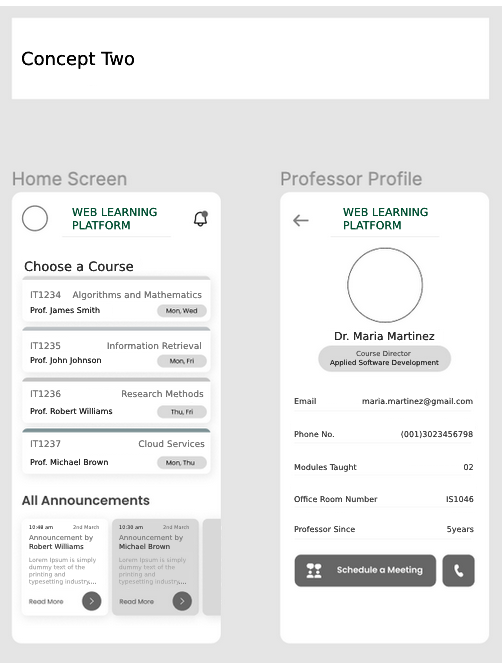
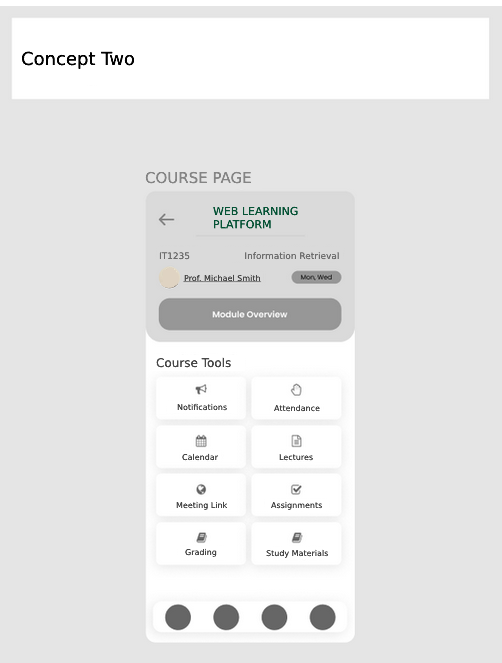
These Figma wireframes are of Low-fidelity
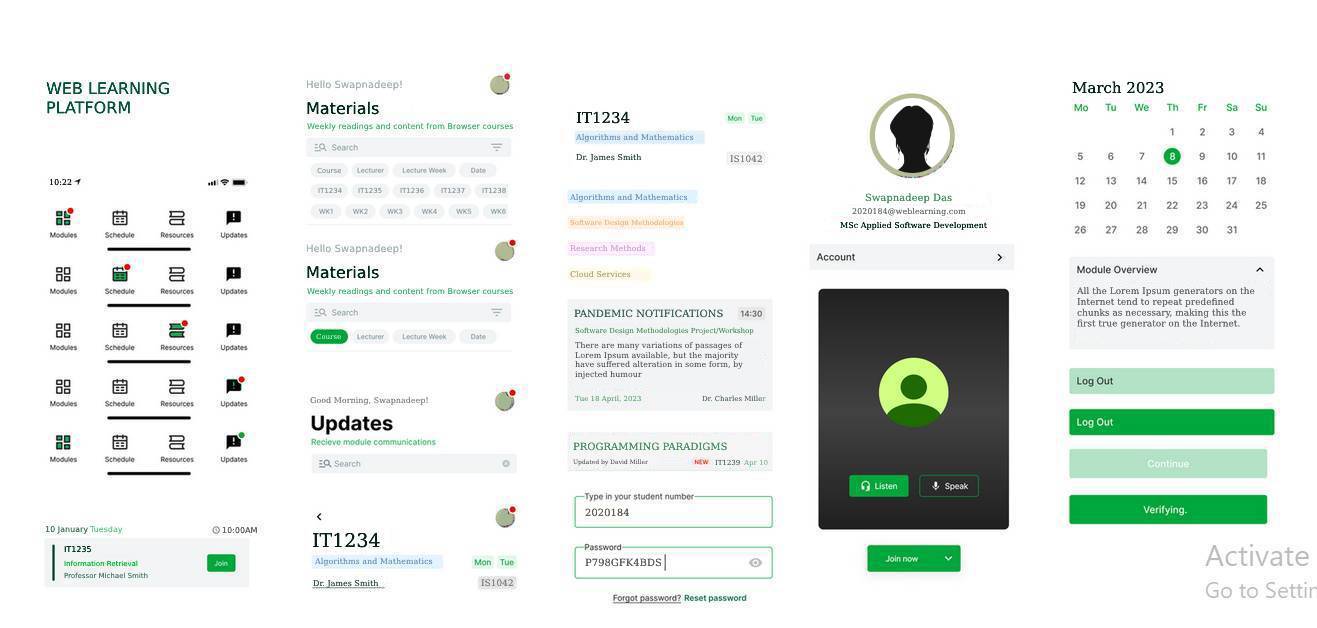
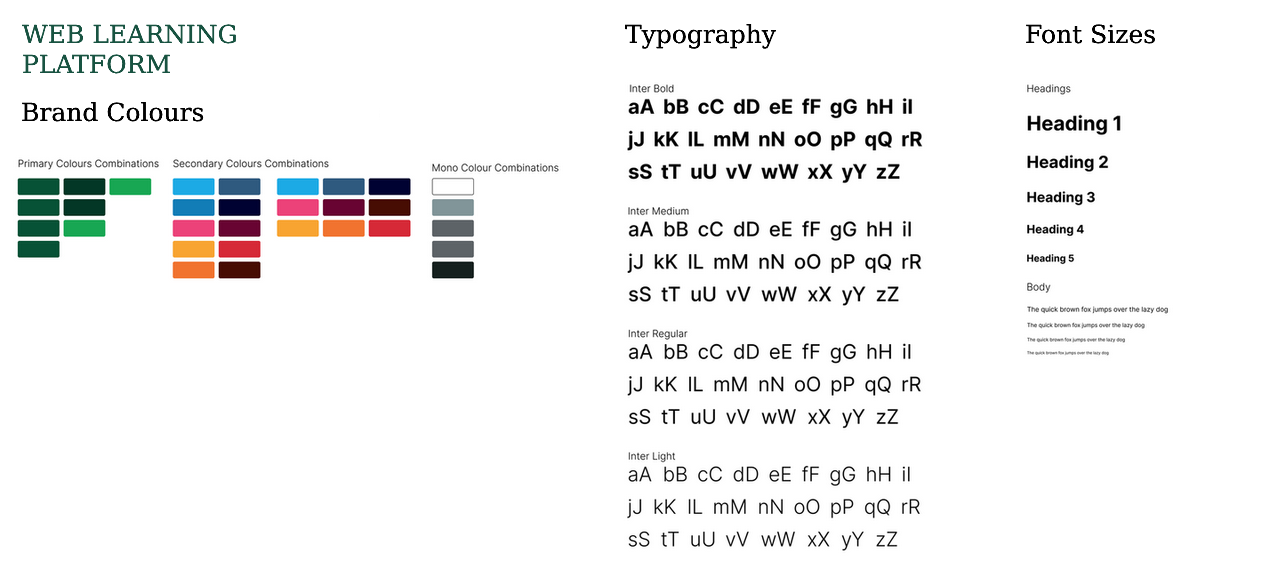
Design Components:
As I worked on developing the application's numerous functionalities, the application's components were constructed.
This was organized into a component library, which enabled to develop customized versions of certain functionalities for the mobile application.
Brand Guidelines
Solutions:
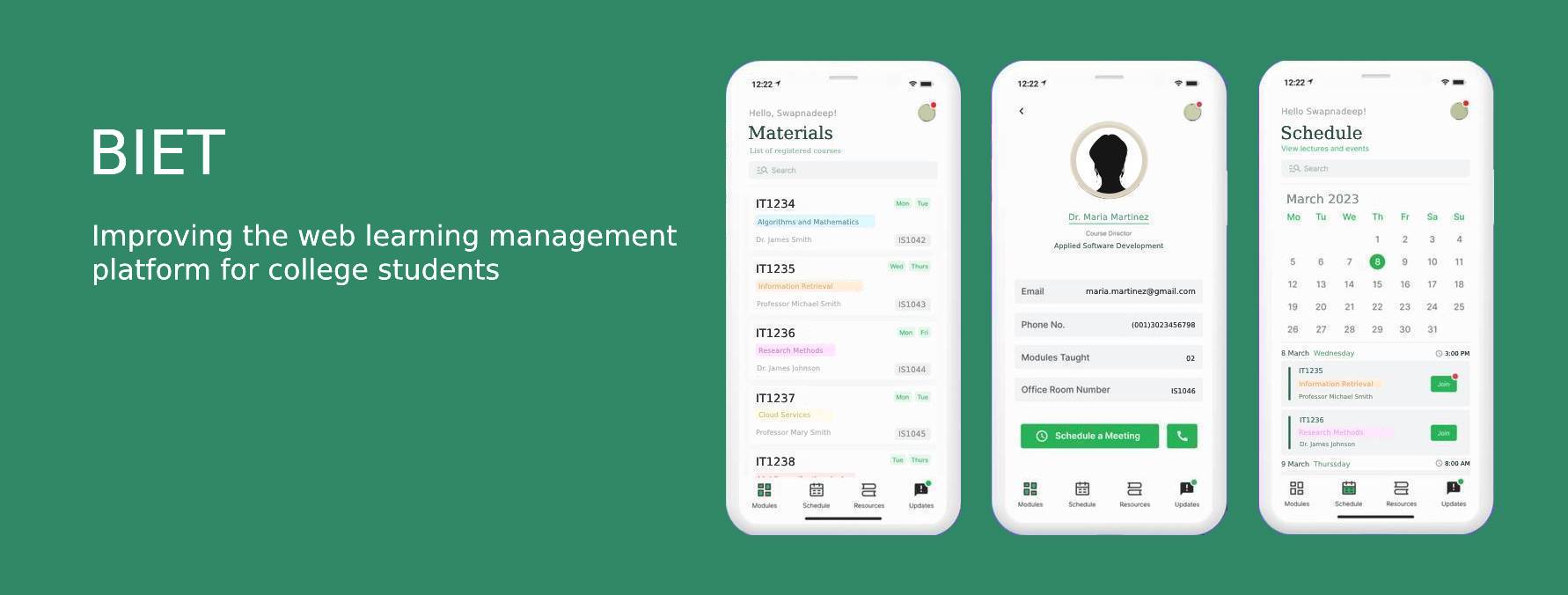
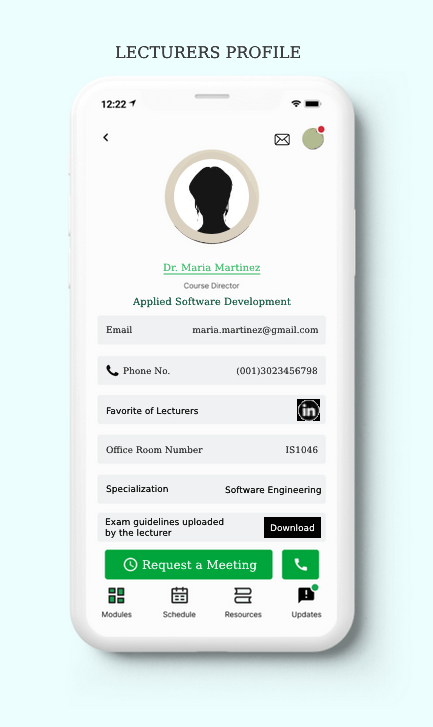
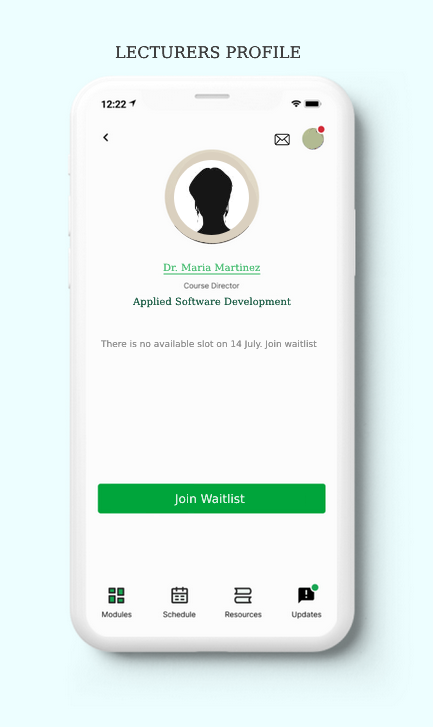
- Making a lecturer's profile with all the information details. The students will have access to the lecturer's information which helps the student to interact with email and office phone numbers easily.
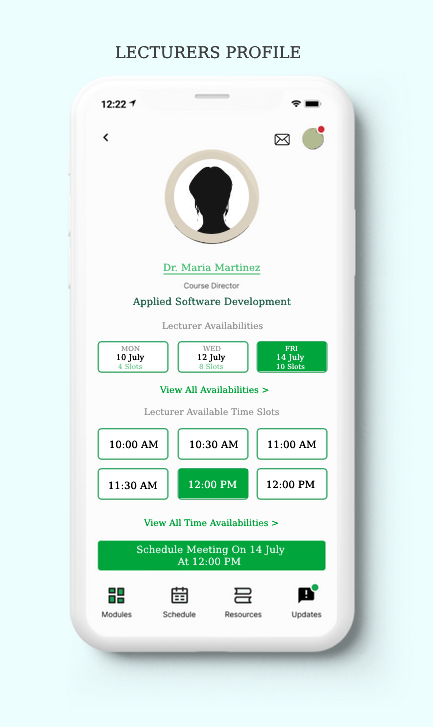
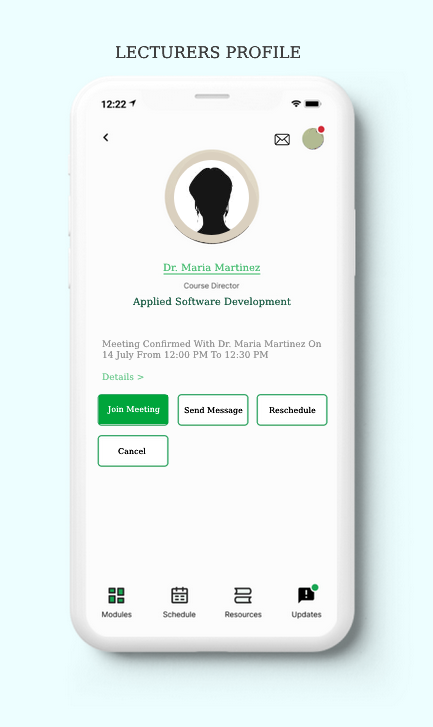
- Students can request a meeting with the lecturers. The button named 'Request a Meeting' can be used by the students to schedule a convenient time for a meeting whenever in need. Lecturers will have the option to schedule an appointment online as per the students' request.
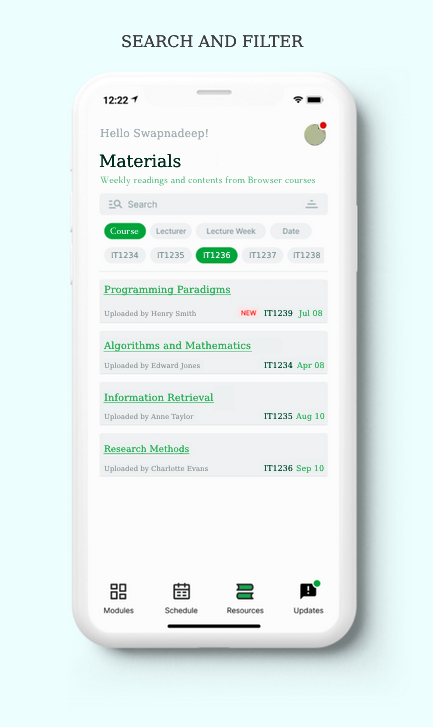
- A search feature has been added which could provide easy moodle accessibilities to the students.
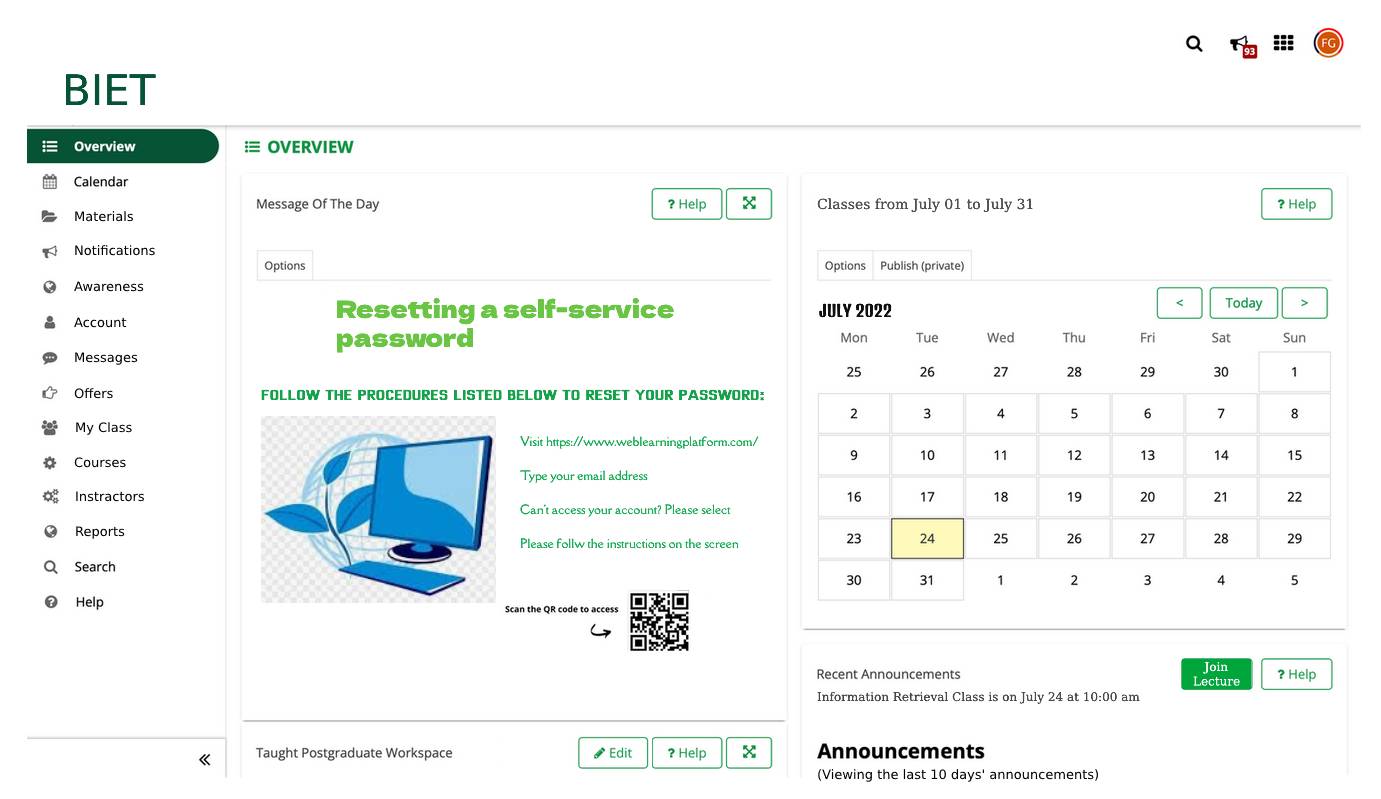
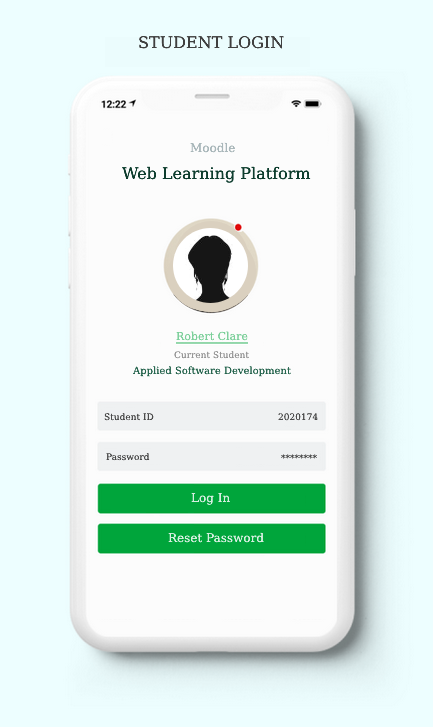
Previous Application Screenshot:
This screenshot is describing how the previous application or interface worked before.
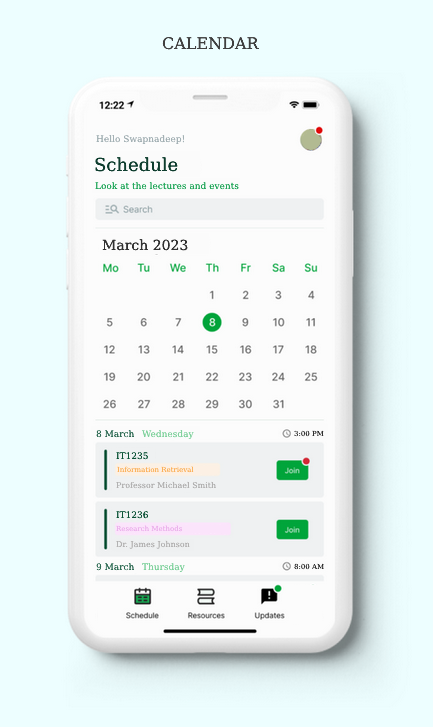
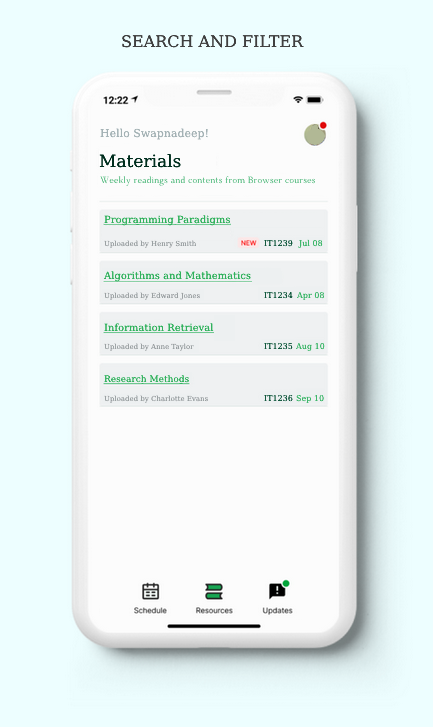
High Fidelity Prototype:
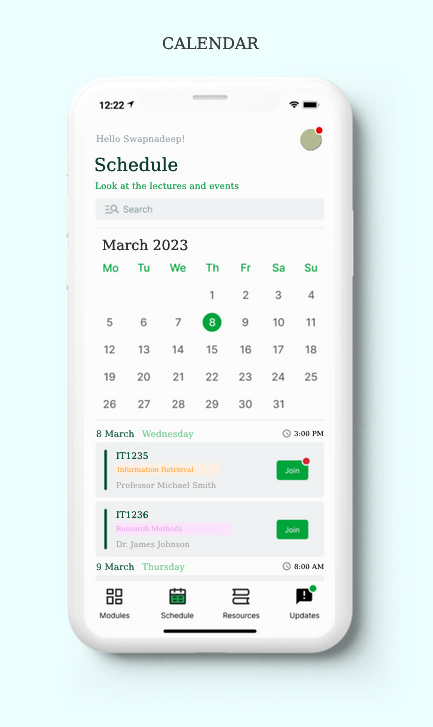
I prototyped displays and buttons after creating the screens by connecting different elements to interactions.
As a result, I was able to create a working prototype and communicate the concepts for the BIET application.

Result:
After the research I created a lecturer's profile with all the information details. The students can use the "Request a Meeting" button to arrange a convenient time for a meeting whenever necessary. I've created a search function so that students will have simple access to Moodle.
I was unable to move further with the usability testing because of the limited time, which could be helpful to complete task achievement.